Overview
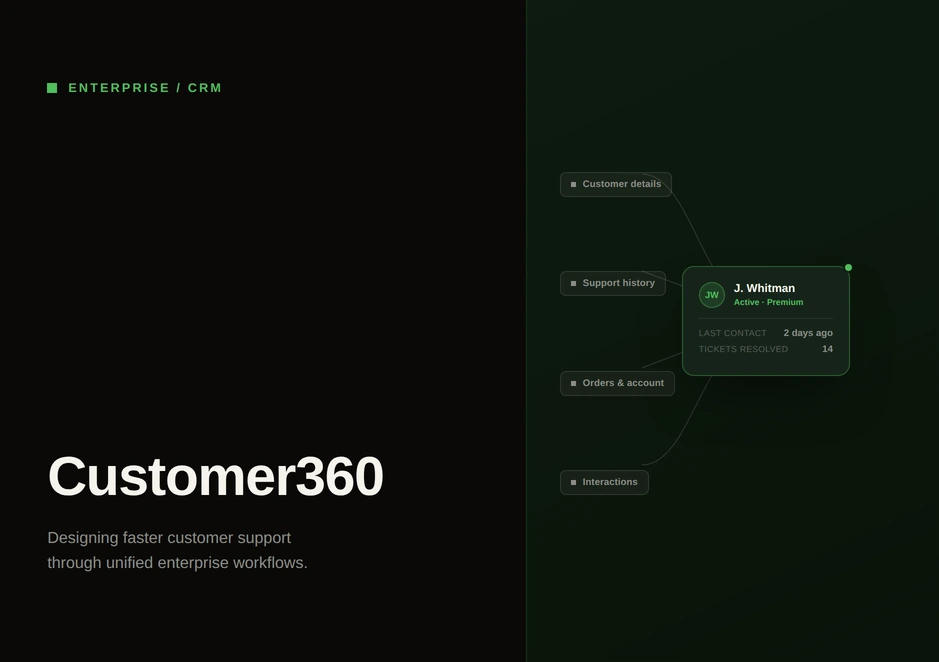
A single console for Cricket Wireless support agents, bringing account, device, billing, case and interaction tools into one screen they use while a customer is on the phone.
- Role
- UX Designer, iVoyant Systems
- Client
- Cricket Wireless
- Platform
- Desktop web
- Period
- 2020 to 2021
- Scope
- 370 screens, 25 flows
- Enterprise UX
- CRM
- Interaction design
- Information architecture
The assignment
Cricket Wireless customer service representatives handled each call across several platforms: one for account details, another for device and SIM settings, and a third for billing, cases and interaction history. The assignment was to bring them into a single console. The company tracked two metrics: average handle time and screens per call.
The project started with a product briefing call with the US-based Cricket Wireless team. To understand the existing tools, shape the experience and take the product from 0 to 1 and through to delivery, I worked closely with the product manager, project manager, developers and QA.
The nature of the work
An agent has a few seconds between the call connecting and needing to say something useful. In that window they need to know who they are talking to, whether that person is who they say they are, what they owe, what they have, and whether they have called about this before.
Then the customer says why they are calling, and it is one of about twenty things: a handset exchange, a SIM that will not activate, a change of number, a payment, a plan change, a locked device, a forgotten voicemail password.
None of these tasks is complex by itself. They are hard because they happen in public, someone is waiting, and the customer can change the subject whenever they want.
That last part turned out to matter more than I expected, and I come back to it below.
Starting the conversation
Every call begins by identifying the account. The back end keys on an account number, but customers do not call with an account number. They read out their phone number, or the long string printed on the SIM card they have just taken out of the package, or the IMEI from the back of a handset because the agent asked for it.
The simple design is a dropdown where the agent picks what kind of number they are about to enter, then enters it. It is honest about the data model, and it is one more interaction.
I did not want that exchange. The dropdown is not the problem; its position is. It is the first thing the agent does on every call, before they have even heard the customer's problem, and it asks them to classify something before they can type it. The agent's constraint is not which field the system wants. It is whatever the customer can find and read out.
So the console has one field that accepts any of them.
The longer part was what happens when nothing matches. A no-result is not an error state you can wave away, because there is a person waiting on the line. The path from a failed search runs through fixing a mistyped value in place, deciding how else to authenticate the person, and, if they are genuinely not in the system, creating the contact record from inside the same flow. It was one of the biggest flows in the file, which seemed disproportionate until I realised it is the first thing that can go wrong on every call.
Tasks that stay open
Two tasks in the console take longer than a customer will stay on one topic: raising a case and logging the interaction at the end of the call. Both need a category, subcategory, subject and real detail.
In practice, the agent starts one, and forty seconds in the customer says, “oh, and while I've got you…”. Now the agent is in the middle of a form with a new question to answer.
If the form is a modal, they either close it and lose the work, or make the customer wait. Neither is acceptable. A saved draft solves the data problem but not the human one: the agent has to remember the draft exists, and remembering is exactly the spare capacity they do not have.
So the task does not close. It becomes a tab that stays there for the rest of the call.
The agent deals with the new question using the full console. The case stays open, visible and theirs, and they pick it up again when the conversation swings back round.
I used the same pattern for logging the interaction. It has a second benefit: the agent can start logging while the call is live and the detail is fresh, instead of reconstructing it from memory afterwards.
The cost is screen space. On a dense, fixed-width layout a persistent tab is real estate you do not get back, and it raises a question I am not sure I fully answered: what the strip does when two or three tasks are parked at once.
Five surfaces, not one feed
There is a version of this console where every event on the account sits in one scrollable feed with a single unified timeline. It is the cleaner architecture, and I considered it. It is wrong for this user.
Agents do not browse history. They arrive with one particular question: when was this device last changed, what did they pay in August, how much data have they actually used, has anyone raised a case on this, what did the last agent tell them. That is five different questions that need five different filters. Usage needs a period. Case history needs status, priority and category. Interaction history needs a date range and the ability to open the actual transcript.
Combine them into one feed and every question becomes a filtering exercise. The information architecture looks a little neater, and the agent gets slower on every call.
So there are five surfaces: device, billing, usage, case and interaction. Each is one step away from the console and filtered on its own terms.
I realise this is the kind of decision that looks bad in a portfolio, because choosing the less consolidated structure sounds like a failure to simplify. It is not. The consolidation is the console itself. Inside history, the job is to stop consolidating and start matching the question.
What to leave out
The standard layout has three columns: the live conversation, account and device detail, and a right-hand rail with suggested actions and the customer's past contact history.
Compressing all three degrades all three, so the two-column variant drops one rail completely. I dropped the customer journey and kept the recommended actions, because recommendations drive what the agent does on this call, while prior contact history answers a question that is asked less often and can be opened deliberately.
It is a real loss. “Have you called us about this before?” goes from ambient to a lookup, which is exactly the kind of small friction this project existed to remove. I took it because I would rather have two usable columns than three cramped ones.
Proration, made explicit
Changing the bill cycle changes what the customer pays because of proration, and the agent is talking it through as they go. So proration is presented as an explicit approval step rather than a consequence that shows up on the next bill. The agent can read the number to the customer before confirming.
States, not screens
The file is largely not screens. It is states: empty results, mistyped input and its corrected version, warnings before a commit, staged confirmations, success acknowledged in place so the agent does not lose their position, expired offers that render as expired instead of disappearing, masked account data, and hover definitions for the telecom vocabulary an agent should not have to memorise.
This is the part of the work that counts most and photographs least. Agents meet failure states under time pressure. The difference between a console that behaves consistently and one where every flow handles its own errors differently comes from specifying those states in the file instead of leaving them to be resolved during the build.
The same instinct shaped the handover: a component-level breakdown, and notes in the file wherever the prototype's behaviour would mislead someone building it.
What was rebuilt
Two parts of the console were rebuilt, not adjusted. Case management was rearchitected, and interaction logging was rearchitected completely. Both earlier versions are kept in the file.